
Building out a local application is usually the best part of the development process. Developers connect a database, map out REST endpoints, run a quick Node script, and things feel incredibly snappy. Hot module replacement works instantly, server-side rendering behaves exactly as planned, and API routes fire perfectly without any hiccups.
But getting that code live on the web is a completely different beast, often ending in a lot of frustration. Research featured in The New Stack highlights that 47% of a developer’s time is often consumed by work outside of coding, such as operations, maintenance, testing, and security.
Teams are generally forced into a corner when choosing infrastructure. The choices are either leasing a blank Linux server and playing sysadmin, or tossing the code onto a serverless edge platform that puts the API into a deep sleep the minute traffic drops. The shift toward managed Node.js environments offers a clear path forward, allowing developers to deploy modern applications without the usual DevOps headaches.
In this article, you will learn how to deploy a Next.js application, an Express backend, and an n8n automation instance independently in a persistent, managed environment, without serverless cold starts or the hassle of manually configuring a Linux VPS.
The Serverless Cold Start Problem
Serverless hosting sounds convenient when starting a project. You deploy the application, the provider takes care of the infrastructure, and there is little need to think about keeping a server running.
The trade-off becomes more noticeable when the application isn’t getting regular traffic. Many serverless platforms scale down or remove idle instances. When another request comes in, a new instance may need to be started before the application can respond. Node.js has to initialize, the application code has to load, and any required services need to become available. The extra time spent getting everything ready is known as a cold start; Velocity uses persistent server resources designed to avoid the cold-start delays commonly associated with serverless platforms.
For a static page, a short delay might not be a major concern. It is a different story for a dynamic Next.js application where visitors expect pages and API requests to respond without waiting for the backend to wake up.
Express applications also have to deal with how their processes are managed. Express generally runs inside a Node.js process that stays active and handles incoming requests. This makes it possible to reuse resources, including database connections, instead of setting everything up again for each new instance.
Also Read: Running AI Agents in Production: The Security, Patching, and Backup Work Businesses Overlook
PostgreSQL is a good example of why this matters. Opening a database connection takes time, and PostgreSQL can only handle a certain number of connections at once. If an application creates new connections whenever traffic increases, it can use up that available capacity surprisingly quickly.
Imagine an API receiving 150 requests around the same time. Depending on how the serverless environment scales and how the application manages its connections, several new instances may start and open their own database connections. If those connections aren’t pooled or managed properly, the database can reach its connection limit, causing new requests to fail until connections become available again. That is a problem worth considering before choosing where to host a Node.js application. The application needs somewhere to run, but it also needs a predictable way to manage its database connections.
Ditching Docker for Managed Node.js
This specific database connection bottleneck is exactly why persistent Node environments are so important. Persistent hosting does not scale the Node process down to zero during idle periods. While applications can still restart, fail, or be stopped, keeping the process running allows it to maintain an active, reusable database connection pool.
The standard approach for hosting this is renting a Linux VPS and configuring the stack with Docker. That works, but it forces developers to take care of the Docker environment, NGINX, SSL certificates, system updates, and process management entirely on their own. That is where running applications on a fully managed Node.js platform changes things. Next.js, Express, and n8n are all Node.js applications at their core. They can be deployed directly from a Git repository by specifying the exact version needed in the package.json.
A managed platform takes care of the application process and the reverse proxy, removing the need to manually build the server environment or manage things through an SSH terminal.
Deploying the Node.js Stack on Managed Hosting
Setting up production environments manually takes time away from actual development. Cloudways Velocity simplifies this by managing the underlying Node.js infrastructure.
Velocity uses persistent server resources designed to avoid the cold-start delays commonly associated with serverless platforms. It also follows a pay-as-you-go pricing model, billing servers hourly based on the selected plan rather than traffic volume.
Each plan includes a defined allocation of CPU, RAM, and bandwidth, so traffic spikes do not automatically increase your hourly compute rate. Performance during heavy traffic depends on the application’s resource requirements and the capacity of the selected plan, and teams can scale up to a higher plan as their resource needs grow.
Here is how to independently deploy a Next.js frontend, an Express API, and an n8n automation instance directly from Git.
1. Deploying a Next.js Application
Web browsers only understand raw HTML, CSS, and plain JavaScript; they cannot execute backend Node.js logic. Because of this, developers often force Next.js into a static export by throwing output: ‘export’ into their next.config.js file, which just outputs a folder full of flat, static HTML files.
Doing this breaks the very tools that make Next.js powerful. Dynamic API routes and middleware are instantly lost because request interception and redirects happen at the server level. A running server is strictly necessary.
Here is how to push a Next.js app to a persistent Node.js environment to keep things dynamic:
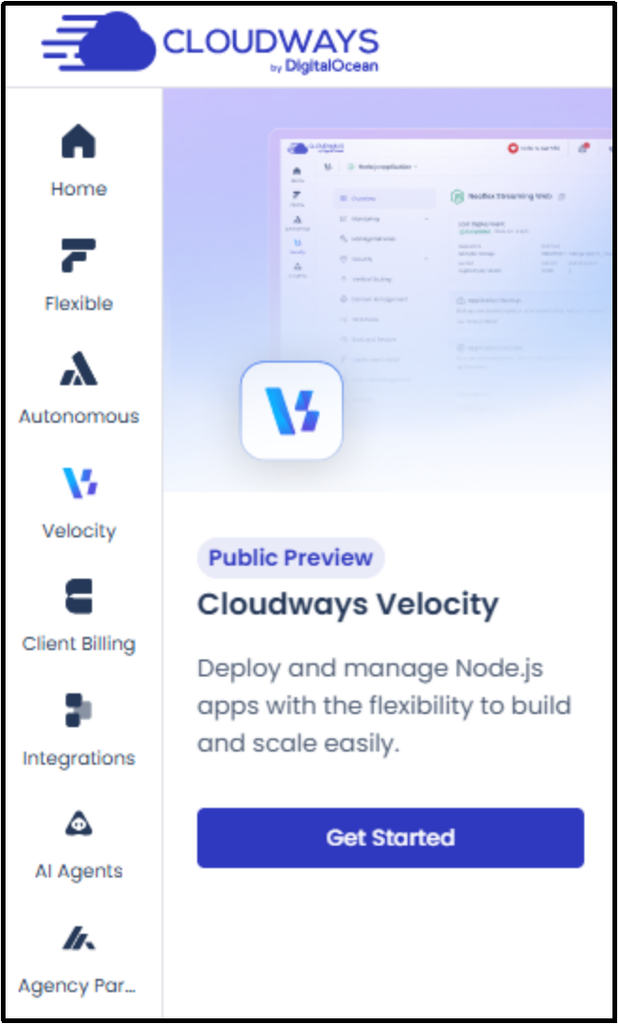
- Create the Velocity Application: Open Velocity in the dashboard and click Get Started to create the new application. Select the Starter plan.
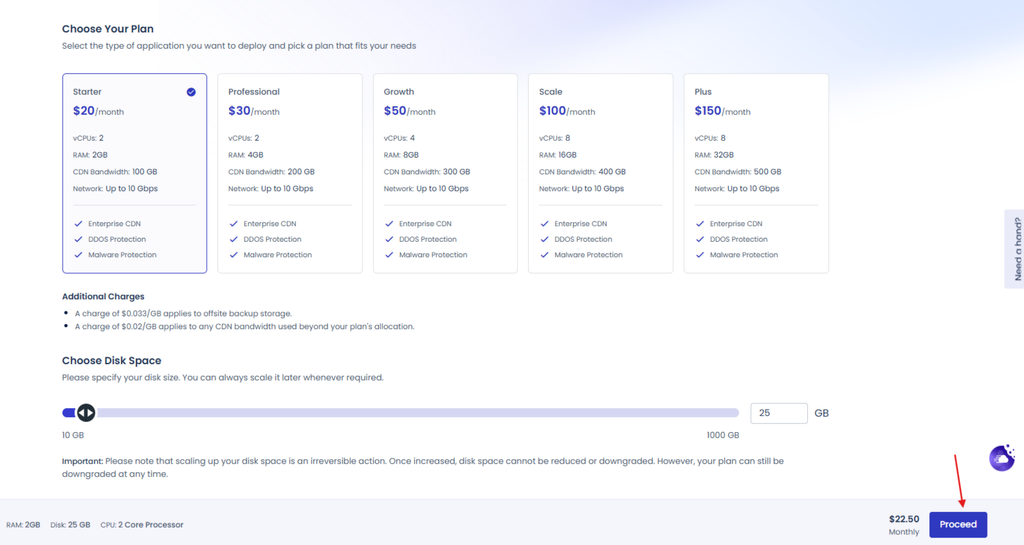
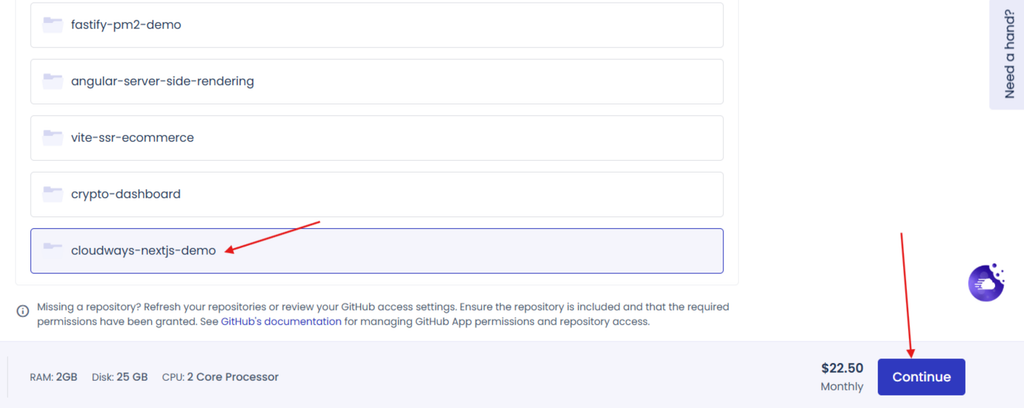
- Connect the Git Repository: Link the appropriate GitHub account and select the Next.js repository.
- Configure and Deploy: Cloudways automatically scans the project root, reads the dependencies, detects Next.js, and auto-selects the Next.js SSR framework preset.
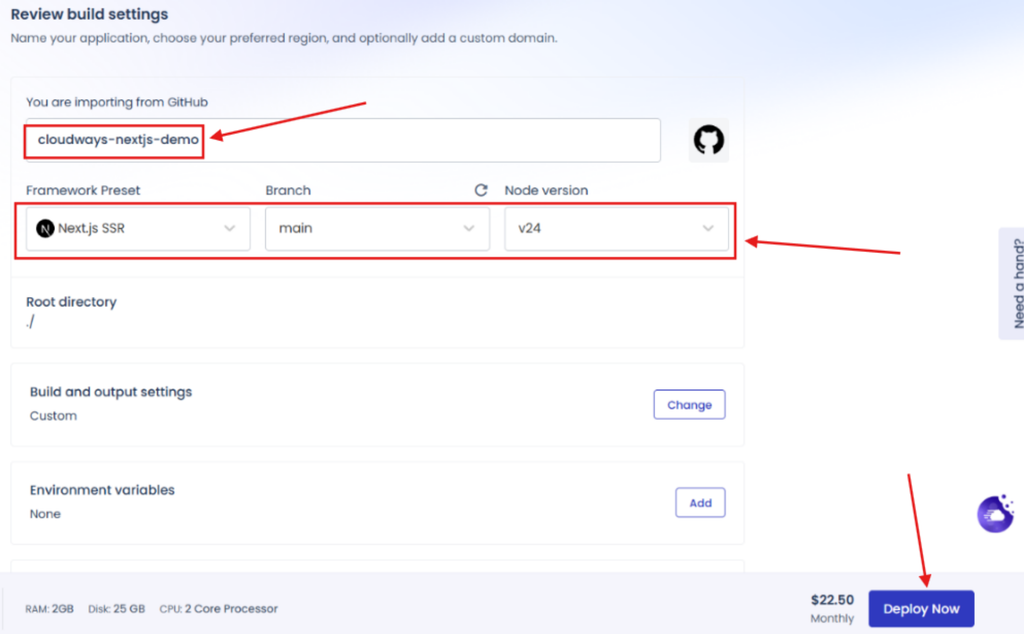
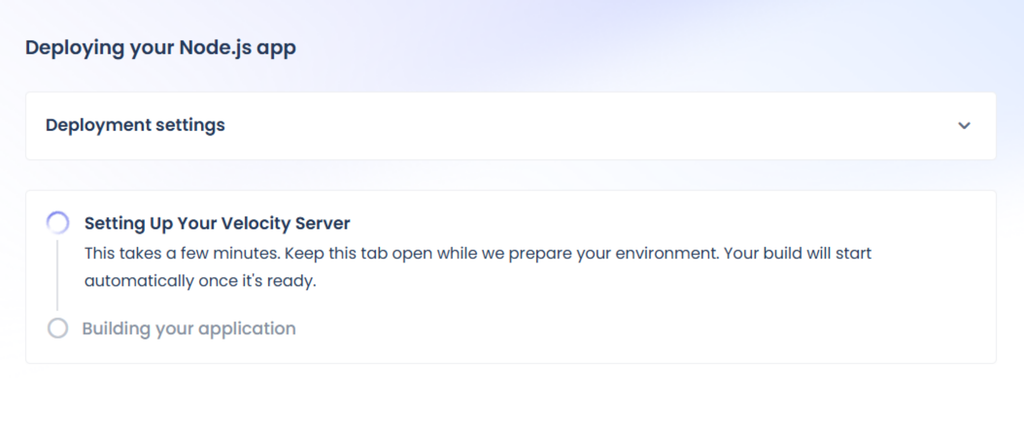
There is no need to manually build out the server environment, write custom start scripts, or install PM2 by hand. Simply click Deploy Now. It takes a couple of minutes for Velocity to pull the repo, install the dependencies, and start the app behind NGINX with SSL enabled on that default hostname.
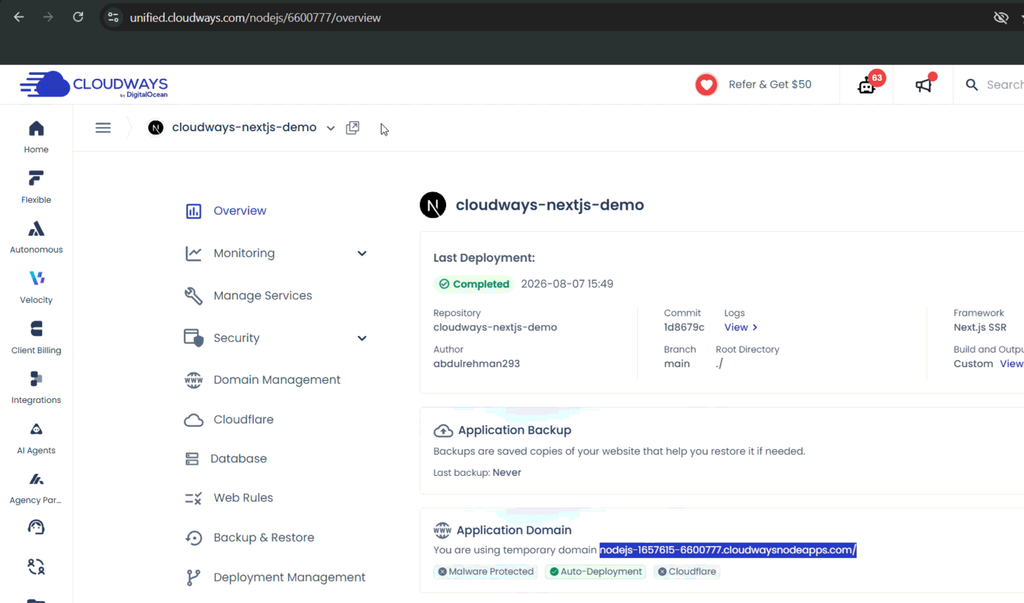
The live URL can then be visited to verify the frontend is running dynamically.
2. Deploying a Persistent Express API
A standalone backend API needs stability. To test real-world persistence, keeping a PostgreSQL connection pool active inside an Express app is an excellent stress test.
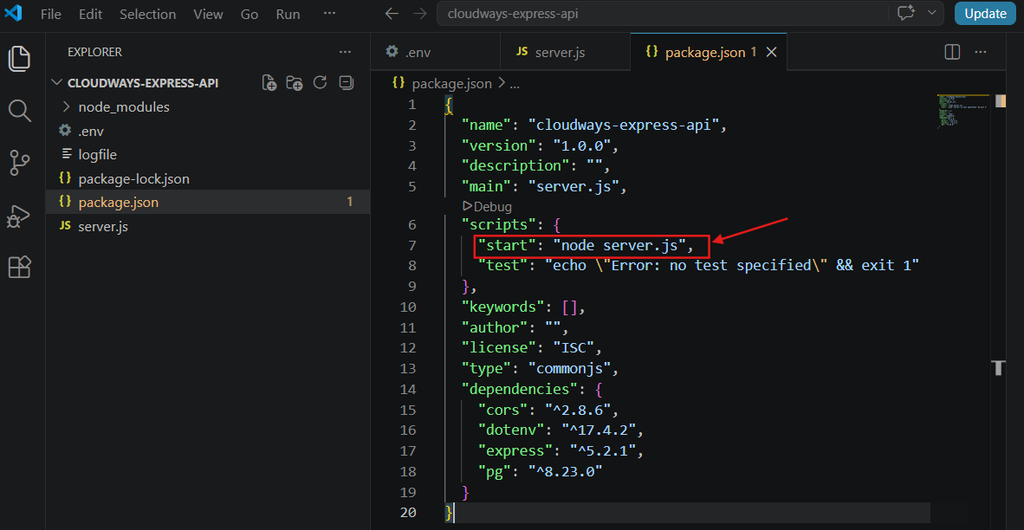
- Set Up the Start Script: Before pushing the Express project to GitHub, open the package.json file and add the following start script: “start”: “node server.js”.
This command is critical. Cloudways looks for this exact keyword when configuring the production server.
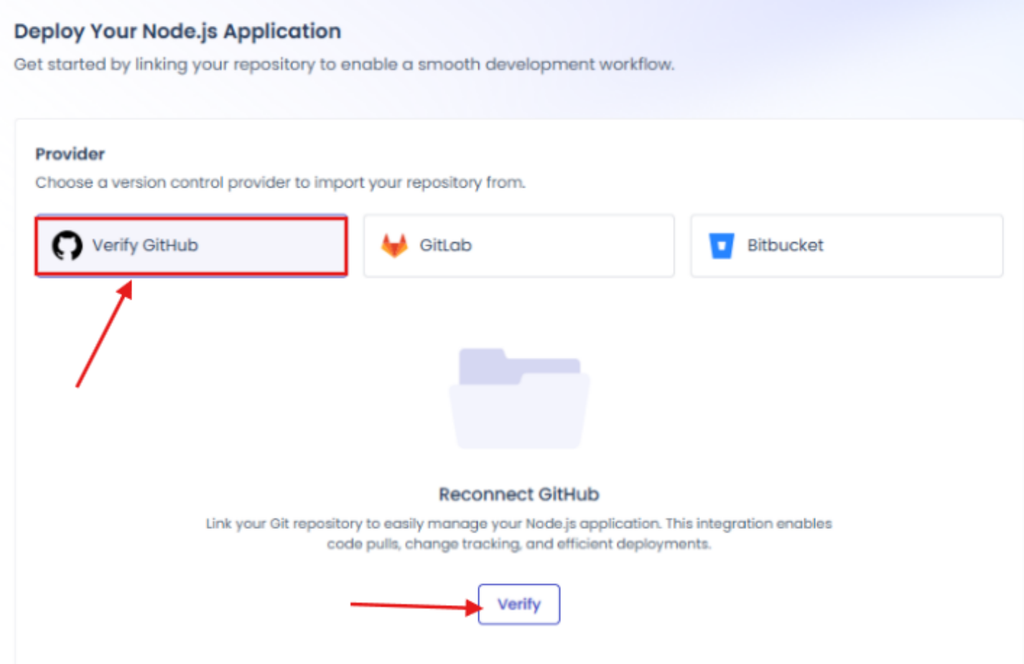
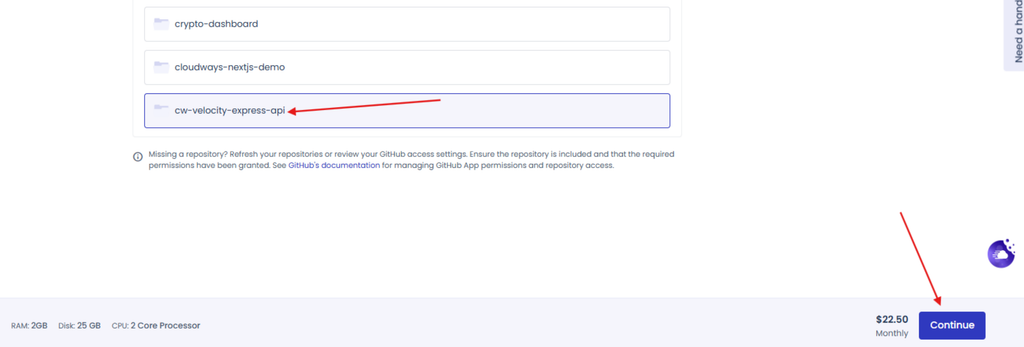
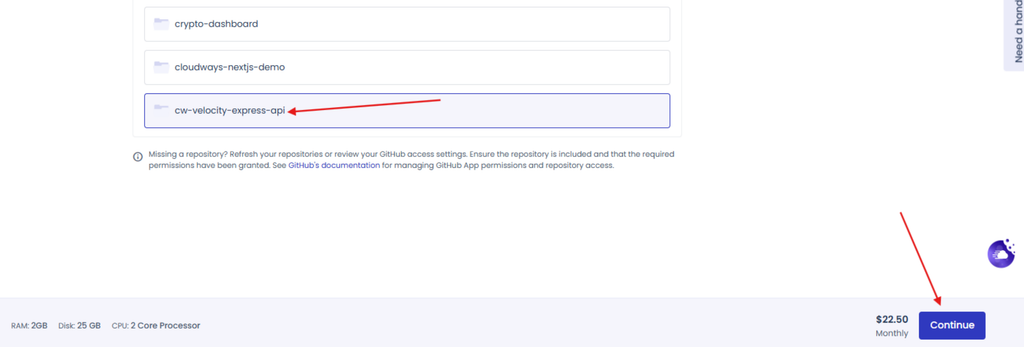
- Create the Velocity Application: Head into the Cloudways console to spin up a new application. Connect GitHub and select the Express API repo. Cloudways spots Express and automatically selects the Express framework preset. Click Deploy Now.
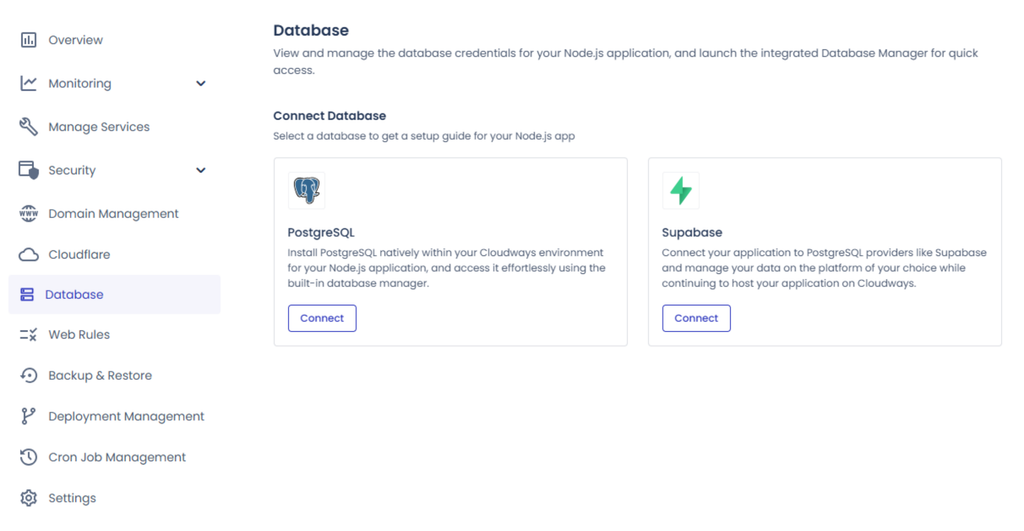
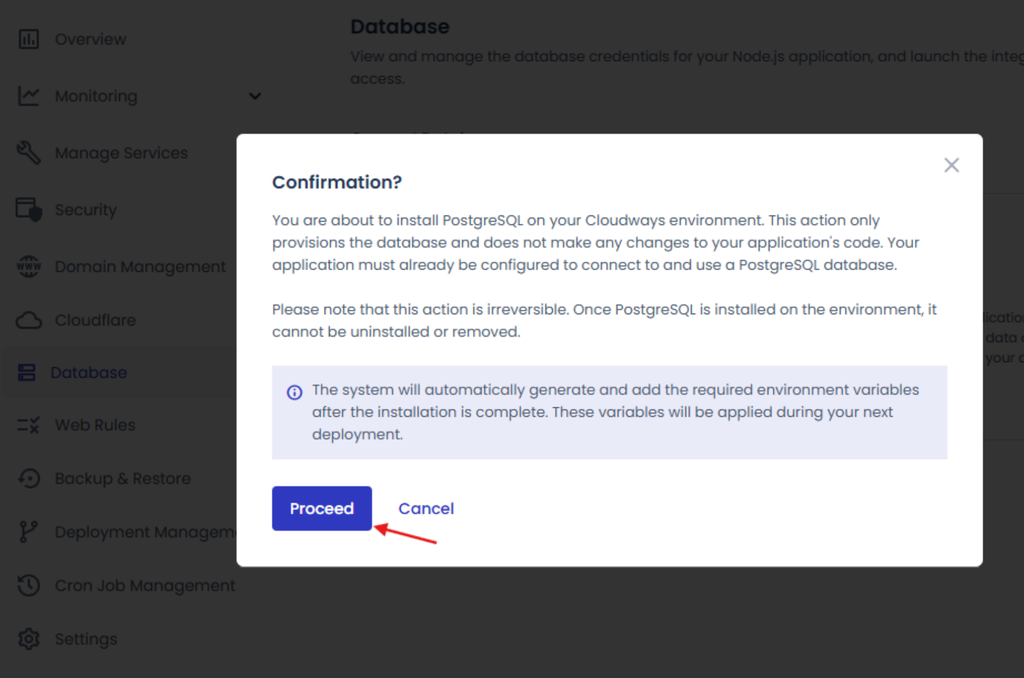
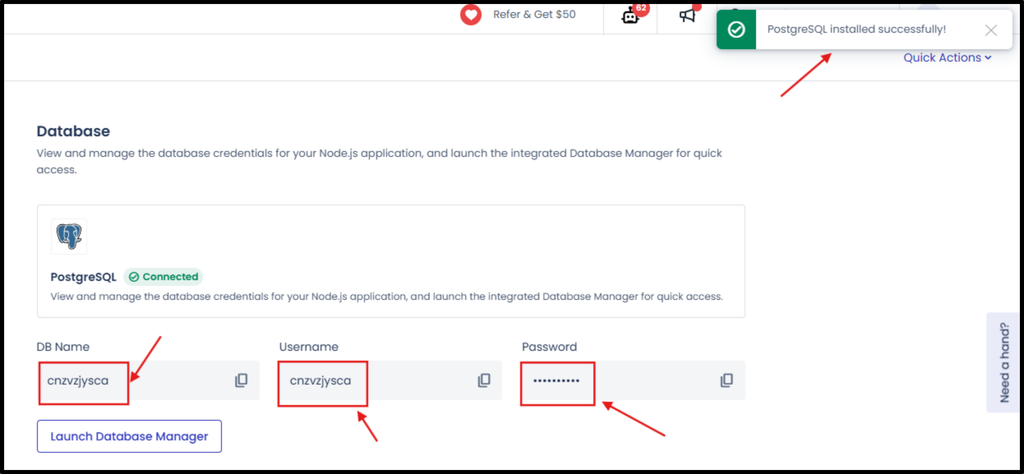
- Provision the Database: Once deployed, open the application in Cloudways and navigate to the Database tab. Connect PostgreSQL to Cloudways to generate the DB Name, Username, and password. Construct the connection string using this format:
postgres://[Username]:[Password]@localhost:5432/[DB Name]
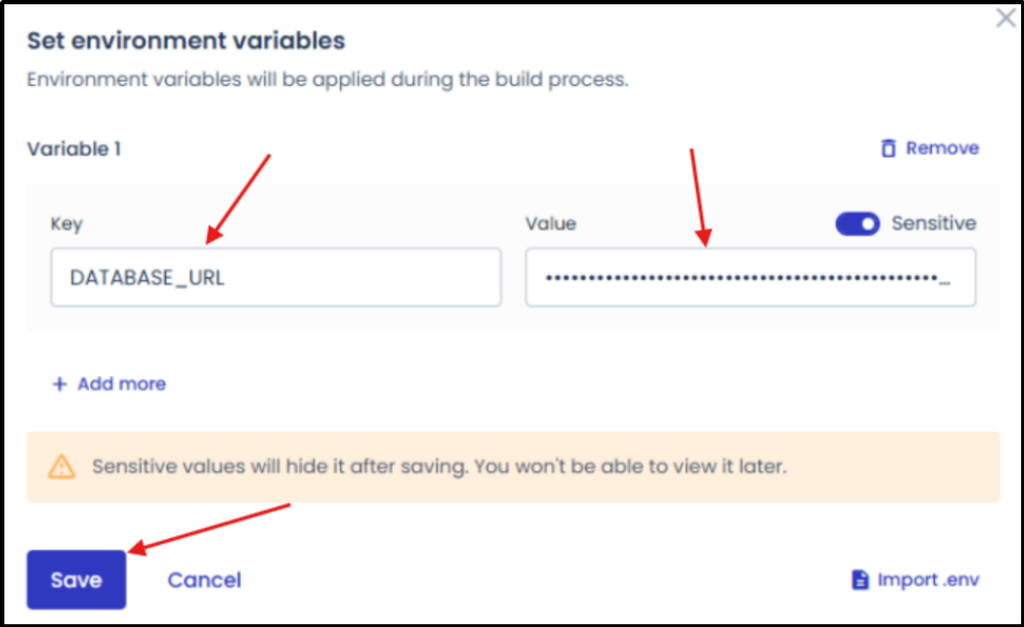
- Add Environment Variables: Take the connection string and drop it in as an environment variable in Cloudways. By using process.env.DATABASE_URL in the code, Express is explicitly told to use this environment variable.
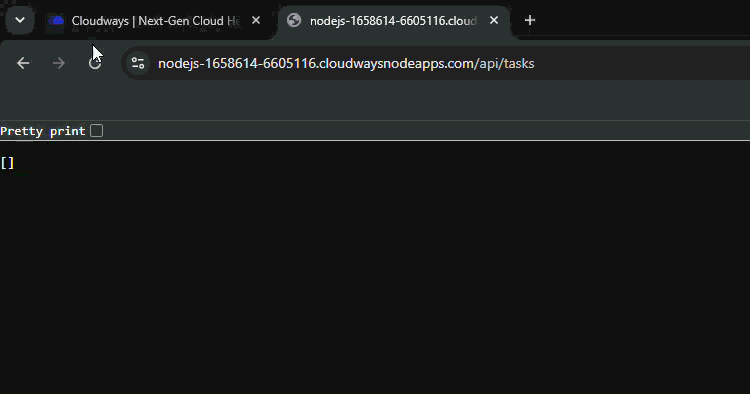
Test the live database connection by sending a POST request to the application URL, then check the browser response to confirm it returns the JSON data from the database.
3. Deploying n8n Automations
Relying on usage-based cloud pricing for automations can become expensive quickly, as workflows making several API calls per run add up. Self-hosting n8n on Velocity avoids separate per-execution or traffic-based fees. Instead, you pay an hourly, plan-based compute rate for your allocated server resources, though hosting infrastructure and any third-party service costs still apply.
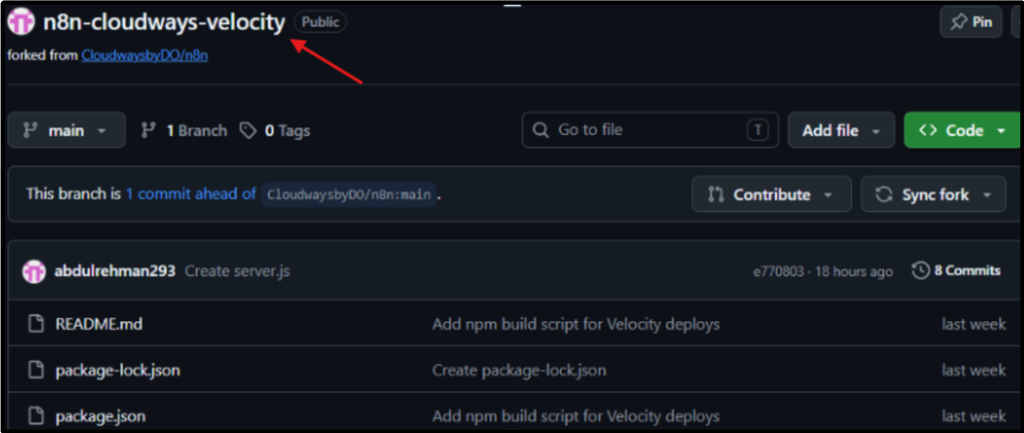
- Fork the n8n Repository: Fork the official n8n repository to a GitHub account to keep the package.json and package-lock.json on the main branch.
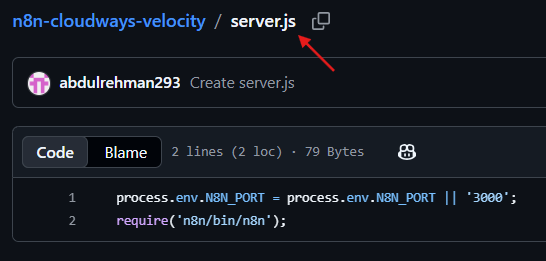
- Add the Entry File: Velocity requires an entry file. Drop a server.js file into the root of the fork with the following code and commit it to the main branch:
- process.env.N8N_PORT = process.env.N8N_PORT || ‘3000’;
- require(‘n8n/bin/n8n’);
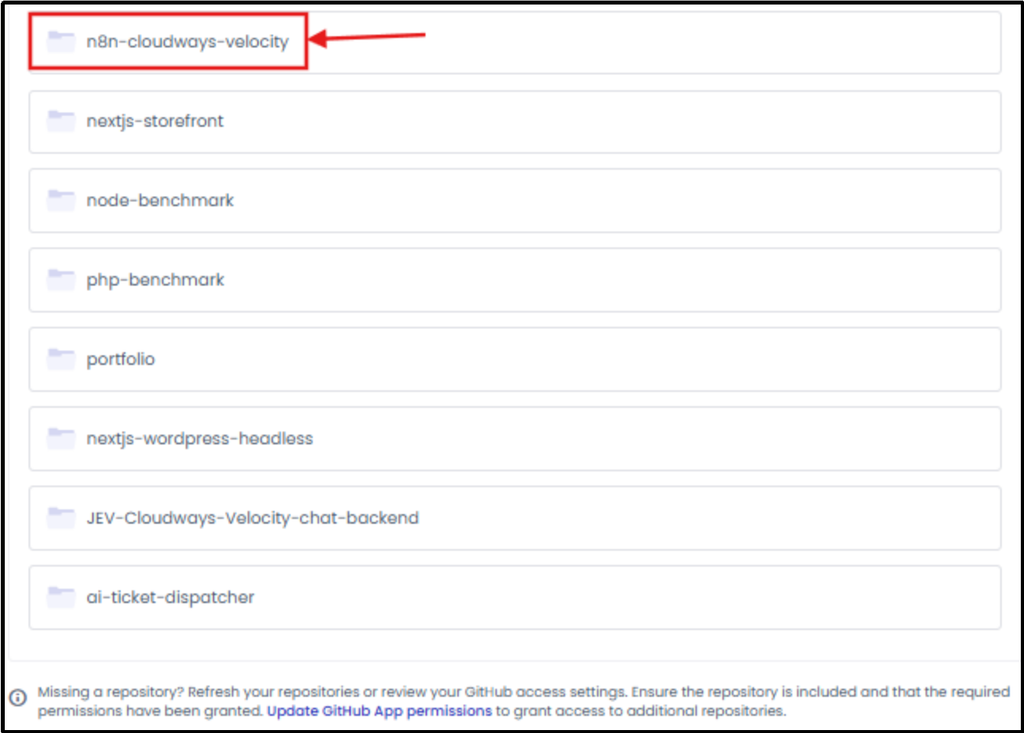
- Create the Velocity Application: Open Velocity, click Get Started, connect GitHub, and select the forked n8n repo.
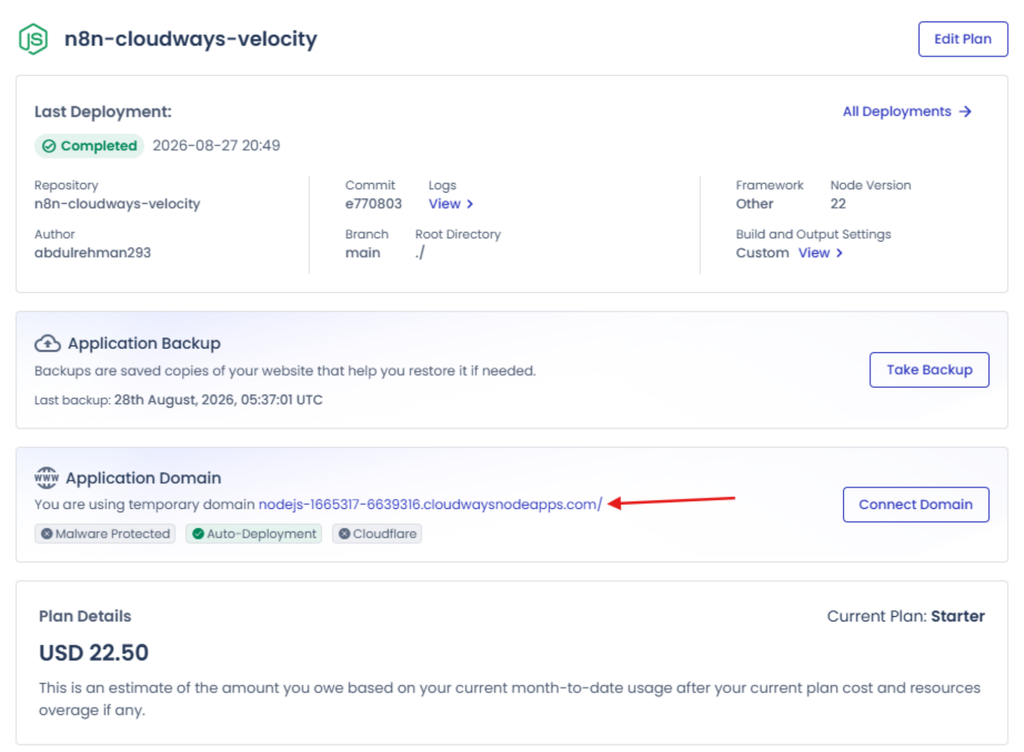
- Configure the Build Settings: Set the Framework to Other, the Node version to 22.x, and the Environment Type to Server-Side Rendering (SSR). Under Build and output settings, check Set Custom Value and enter:
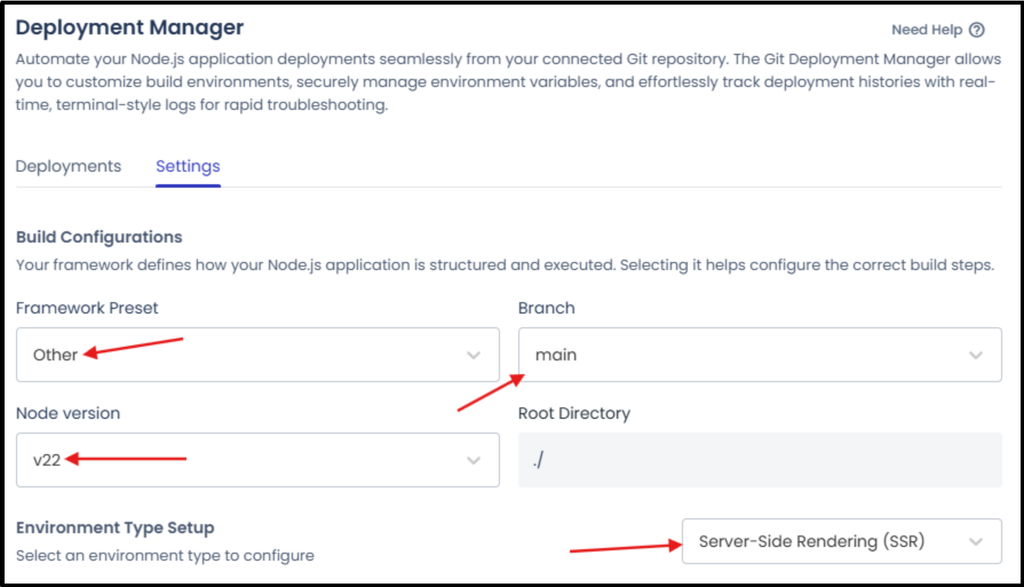
- Package Manager: npm
- Build Command: npm run build
- Entry File: server.js

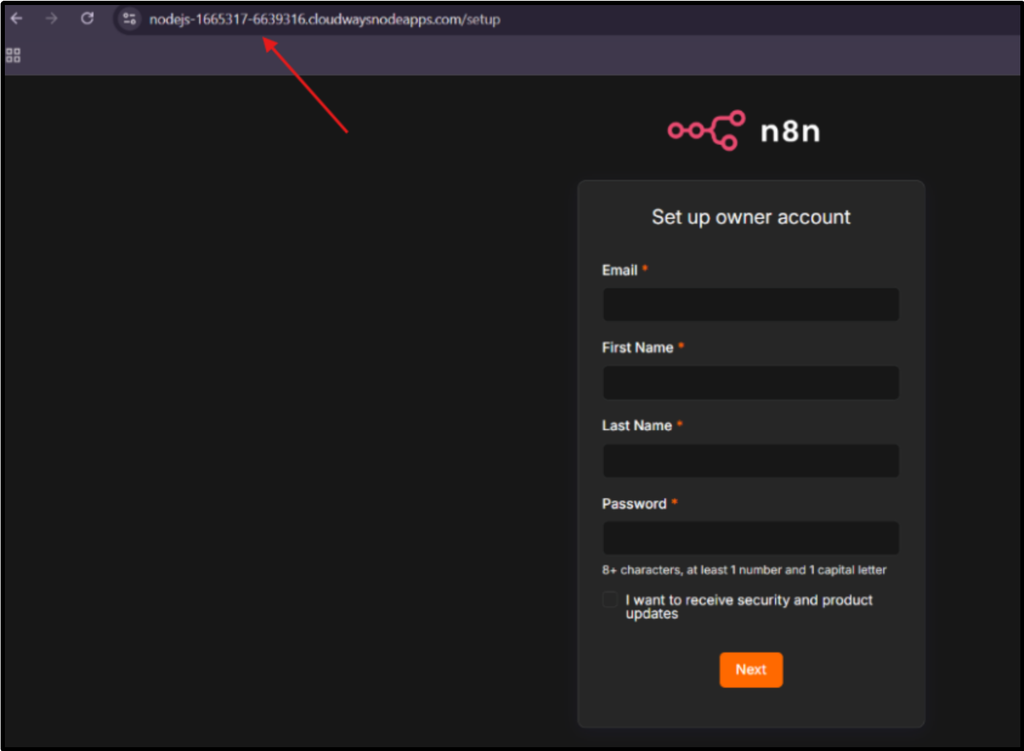
- Add Environment Variables and Deploy: Add N8N_PROTOCOL and N8N_PROXY_HOPS as environment variables so n8n knows it is running over HTTPS behind Velocity’s reverse proxy. Click Deploy Now.
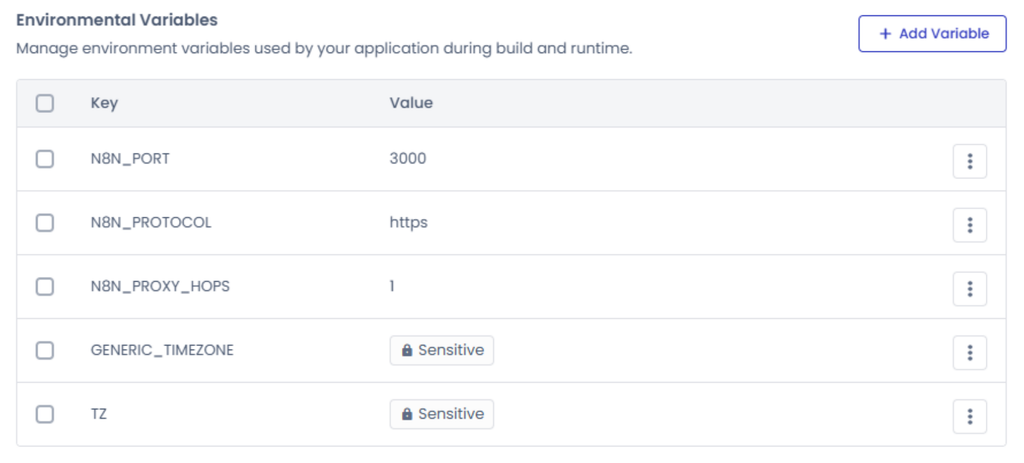
The application will be pulled, installed, and started behind NGINX with SSL enabled.
The Impact of Managed Node.js
For real-world software, the shift from self-managed infrastructure to managed Node.js pays off in reclaimed developer time. Regal IT, a UK ecommerce agency, faced this exact challenge when taking their commercial Shopify product, RMA Pro, into production.
When evaluating hosting options, the agency found that many providers made Node.js hosting overly complicated, requiring separate infrastructure components to be managed individually. The alternative of setting up NGINX, PM2, and server configuration by hand represents an entire layer of upkeep that adds no value to the actual product.
By migrating to Cloudways Velocity, Regal IT achieved a Git-based deployment workflow alongside fully managed infrastructure, backups, SSL, and patching in one service.
Deploying directly from Git removed a long list of manual steps, allowing the team to focus on developing and testing RMA Pro rather than wrestling with server builds. Furthermore, moving away from scale-to-zero serverless cold starts helped keep RMA Pro more consistently responsive, a critical factor for an application sitting inside a merchant’s daily Shopify workflow.
Also Read: Why Hire a Software Development Company?
Wrapping Up
Running applications on dedicated Node.js environments gives developers total control over where workflows execute and where data is stored. Database credentials, API keys, and workflow data remain on managed infrastructure rather than a third-party managed environment.
With Cloudways Velocity handling the underlying infrastructure, the server management workload drastically decreases. In these deployments, there is no need to configure Docker, NGINX, SSL, or process management by hand. Connecting the Git repository and deploying the Node.js application lets Velocity handle the underlying server environment so your team can focus on the code.
For teams looking to streamline their deployments without the DevOps overhead, there has never been a better time to transition. With the Cloudways Black Friday and Cyber Monday promotion, new users can secure 80% off their first two months (capped at $200 per month) using the promo code BFCM802. This provides the perfect window to deploy, test, and optimize an application environment, ensuring the tech stack is fully functional and production-ready for the demands ahead.