
For early-stage business owners looking to launch an online storefront or WooCommerce site, it can feel like a daunting technical hurdle. While platforms like WooCommerce power millions of live stores globally, getting from a basic business idea to a fully functional website traditionally requires significant time, capital, and technical expertise.
Today, prompt-based tools are changing that trajectory. Website builders now allow business owners to bypass the tedious manual setup phase, transforming simple text descriptions directly into ready-to-publish storefronts.
This shift lets business owners focus on their core strategy rather than getting bogged down in code and design templates.
The Cost of Manual Website Creation
Building an ecommerce website from scratch can get expensive and time-consuming quickly. According to industry cost breakdowns, front-end and back-end development can range from $3,000 to $150,000 or more depending on store size. Essential design work, covering UX research, prototyping, mobile optimization, and accessibility, adds another $8,000 to $36,000.
Traditionally, putting together a website meant choosing a template, arranging page layouts, finding images to use, and inserting copy before making any final design adjustments. For early-stage businesses, this process creates a significant bottleneck.
Business owners are forced to divert their attention away from core strategy to focus on web development, or they must spend substantial capital hiring outside agencies to handle the technical heavy lifting.
If a business owner is not versed in coding or lacks design experience, establishing an online presence becomes a slow and expensive hurdle. Automated website builders provide a far more direct route.
By handling the initial setup, these platforms eliminate the need to build from a blank slate. The technology manages the bulk of the manual work, allowing operators to bypass the expensive prototyping phase and jump directly into refining a working draft.
How Website Builder Technology Works
These modern builders automate the web development process as well as the design, layout, fonts, colours and imagery used for the design work, by combining several specialized technologies into a single workflow. When a user submits a description of their business, natural language processing and large language models allow the system to understand the prompt and generate the necessary content.
From there, machine learning and recommendation systems put forward appropriate design choices, determining the best page structure, layout, fonts, and colors for the specific project.
Where available, computer vision analyzes the visual material, whether that means cropping an existing image or reading an uploaded screenshot. Finally, generative text tools follow the initial instructions to assemble the text, images, and other website elements into a working structure.
Together, these technologies do away with much of the manual labor involved in conventional web development, producing a site that is fully structured and editable.
Also Read: Buying a Business Vs. Starting From Scratch: A Look At Both Options
The Ecosystem Advantage: Combining Generation with Managed Hosting
A common risk when utilizing automated website builders is platform lock-in. Many builders operate as closed, proprietary systems, meaning the business does not truly own the underlying code of its storefront. If the business outgrows the platform, migrating the data becomes a highly complex process.
The Cloudways AI Website Builder approaches this challenge differently by generating complete WordPress and WooCommerce websites directly from a natural-language description. Because the platform relies on standard WordPress, the business retains full command of the site.
This open-source foundation allows business owners to utilize the wider WordPress ecosystem for admin access and plugins, WooCommerce store management and the scalability factor of WordPress. Once the design and content are finalized, the site is published directly on Cloudways managed cloud hosting, ensuring the storefront benefits from dedicated server performance while maintaining complete data portability.
Four Steps to Launching a WooCommerce Site With Cloudways AI Website Builder
Instead of spending weeks on manual coding and design, the Cloudways AI Website Builder condenses the setup into a straightforward workflow. To get started, log in to your Cloudways account and navigate to the AI Website Builder from the dashboard.
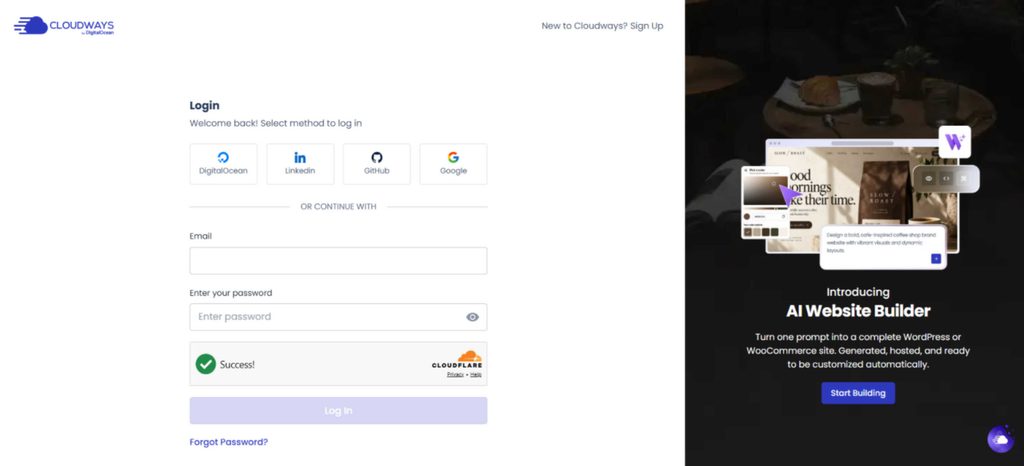
Once inside, here are the four steps to generate, refine, and publish a WooCommerce storefront.
Step 1: Writing the Prompt
The entire generation process relies on a detailed text prompt that describes the desired website. Because the builder works directly from this input, vague requests yield poor results.
A highly effective prompt must cover the essentials: the name of the business, the industry, products and services, the target audience, the tone of the content, the preferred visual style, necessary features and pages, and the specific action visitors should take.
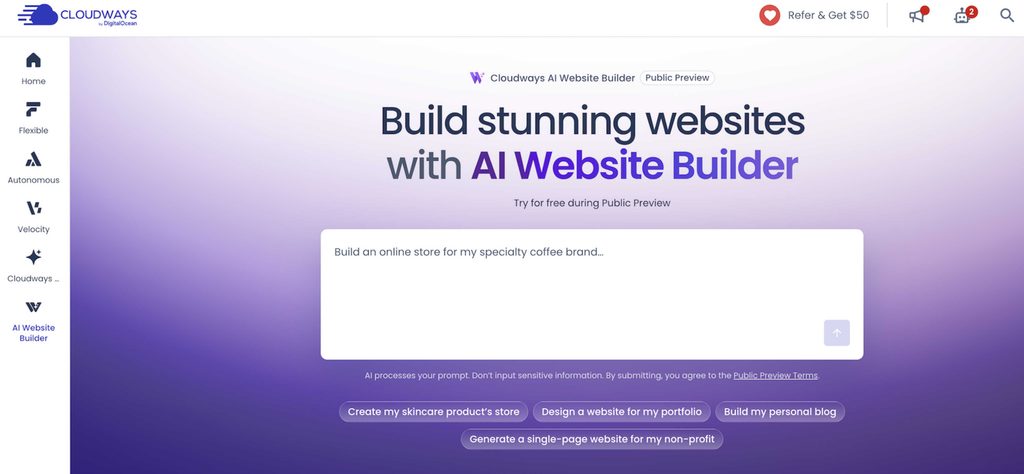
Because builders often operate on a credit system where changes cost credits, businesses should combine multiple related requirements into a single, comprehensive prompt to use those credits more efficiently.
- Bad Prompt Example: “Make a website for my coffee shop.”
- Good Prompt Example: “Build a professional site for a local cafe called Morning Brew. The website should target daily commuters and remote workers, so the tone should be welcoming and energetic. Use a warm visual style with brown and cream colors. Make sure there is a homepage, an about section, a menu page, and a contact page. Encourage visitors to view our location and hours.”
Step 2: Generating the Website
Once the prompt is submitted and the Cloudways account is verified, the system provisions the environment and begins building. Relying entirely on the parameters set forth in the prompt, the platform requires roughly two to three minutes to prepare a complete site.
The resulting output includes a homepage and supporting pages, navigation sections, headlines, body copy, appropriate graphics, typography, color schemes, contact forms, and calls to action.
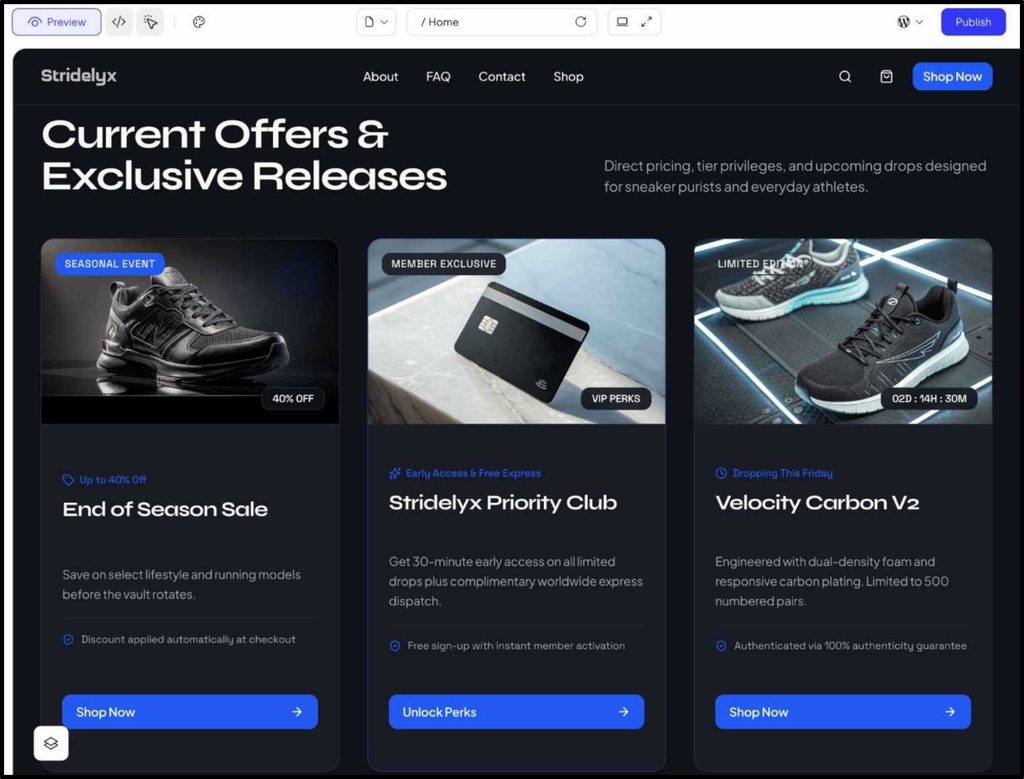
For an ecommerce launch, the system automatically adds product listings, a shopping cart, and checkout pages. Furthermore, the system optimizes the look for desktop and mobile screen sizes and follows established SEO best practices.
Step 3: Reviewing and Editing the Site
While the first pass may appear finished, it is strictly a draft that requires human review before going live. Operators must verify that all business data, product specifics, and pricing are correct, images are consistent with the brand, and contact forms function properly. If adjustments are required, the platform offers three distinct editing methods:
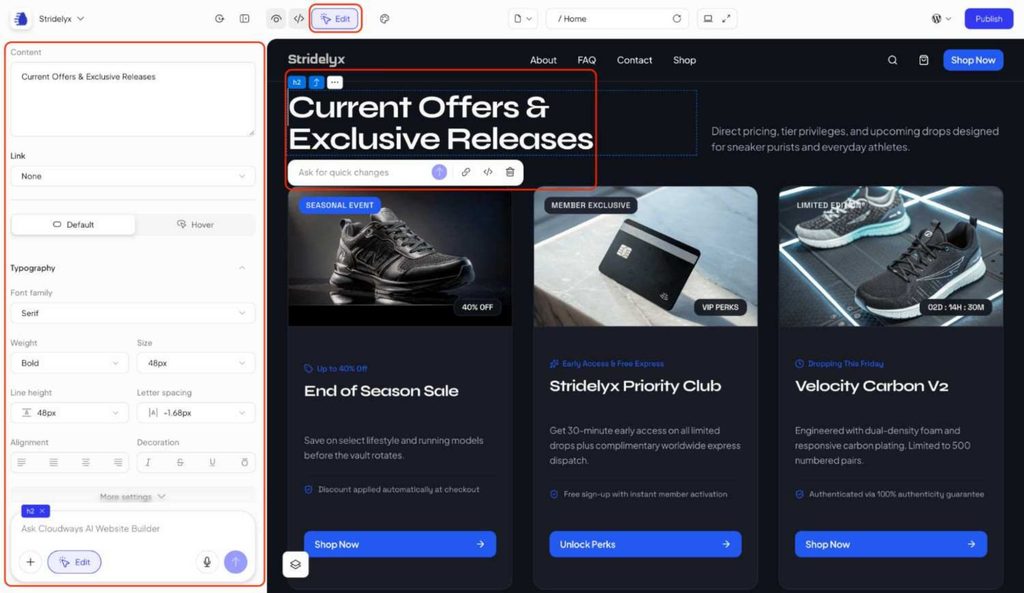
- AI Chat: Users can state desired changes in plain language, instructing the system to rewrite a homepage introduction, swap out a call to action, add a new service page, or redesign a specific section through the utilization of AI credits.
- Visual Editor: For those who prefer a manual approach without coding, the visual editor allows point-and-click adjustments. Clicking any button, image, heading, or section allows the user to immediately alter typography, colors, spacing, alignment, and size; without AI credits.
- Code Editor: For advanced customization, developers can access the underlying code to implement custom styling, improve accessibility, link to outside services, integrate business systems, or add specialized custom tracking; without the utilization of AI credits.
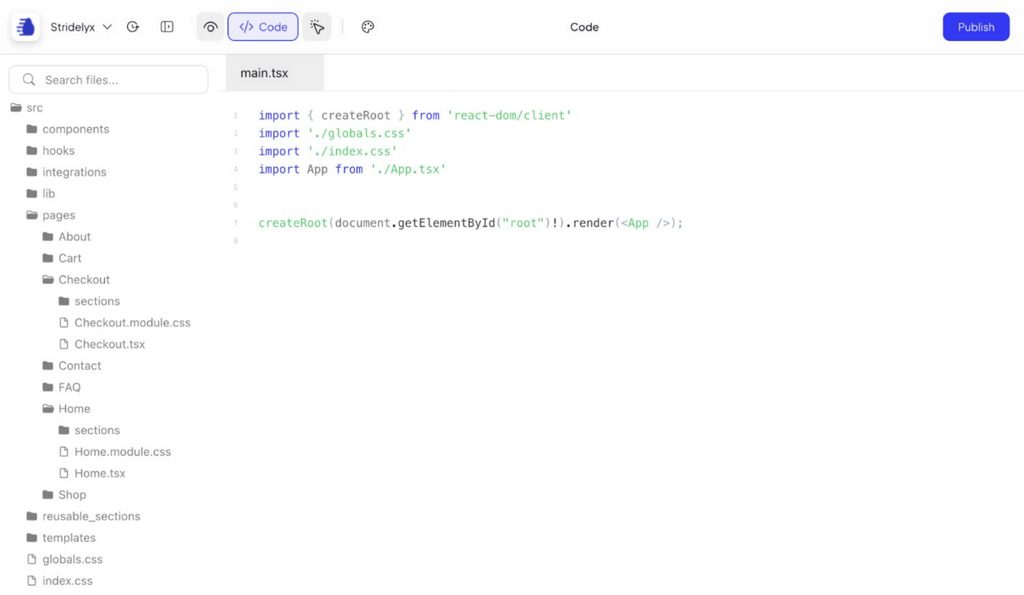
Step 4: Publishing the Website
Once all refinements are complete, the publishing action takes the website out of its preview state and pushes it to the live host. The business can then connect its domain and launch the storefront to the public. The editing tools remain fully available after publication, allowing the business to add new content, alter designs, or build additional pages as the operation grows.
Overcoming the Limitations of Standard Website Builders
Although standard automated builders drastically simplify the launch process, they often introduce strict limitations for digital projects. Business owners must be aware of these barriers, but more importantly, how Cloudways resolves them.
First, standard builders often struggle with complex functionality. If a business requires a custom marketplace, a membership site, complex booking workflows or bespoke database work, a basic generator will not be sufficient. Cloudways overcomes this by providing direct Code Editor access. This allows dedicated developers to inject custom code and third-party integrations, bypassing the walls of a typical drag-and-drop builder.
Second, standard generated content often requires strict review. Without highly precise guidance, generators produce generic text that can be repetitive or at odds with the actual brand voice. Cloudways addresses this by allowing businesses to instantly refine the draft using targeted chat commands or the visual editor, meaning you never have to accept a generic first draft.
Finally, generating a site on a closed platform does not guarantee visibility or scalability. Standard builders often lock you into their hosting environments, limiting SEO control.
Cloudways builds on standard WordPress, ensuring you retain full command of your SEO plugins, page titles, and technical optimization. Post-launch, the business benefits from Cloudways managed hosting, ensuring superior performance, automated backups, and advanced security.
Also Read: 5 Irresistible Ways to Sustain Your Online Business in 2026
Wrapping Up
The path from a business concept to a functional online storefront is significantly faster with the Cloudways AI Website Builder because it takes care of most of the manual development work. Instead of wasting weeks staring at a blank slate, business owners are instantly provided with a proposed design, content, and structure.
To ensure a professional final product, human oversight remains necessary to verify brand consistency, correct business details, and achieve the exact quality standards required before the store opens to the public.
Businesses looking to bypass the manual setup phase can launch their storefront during the Cloudways Black Friday and Cyber Monday promotion, which offers 80% off for the first two months using the code BFCM802. This provides a cost-effective way to deploy a WooCommerce site before the next surge in business demand.